Transactions
Per-sheet walkthrough — L1 Reconciliation Dashboard.
What the sheet shows
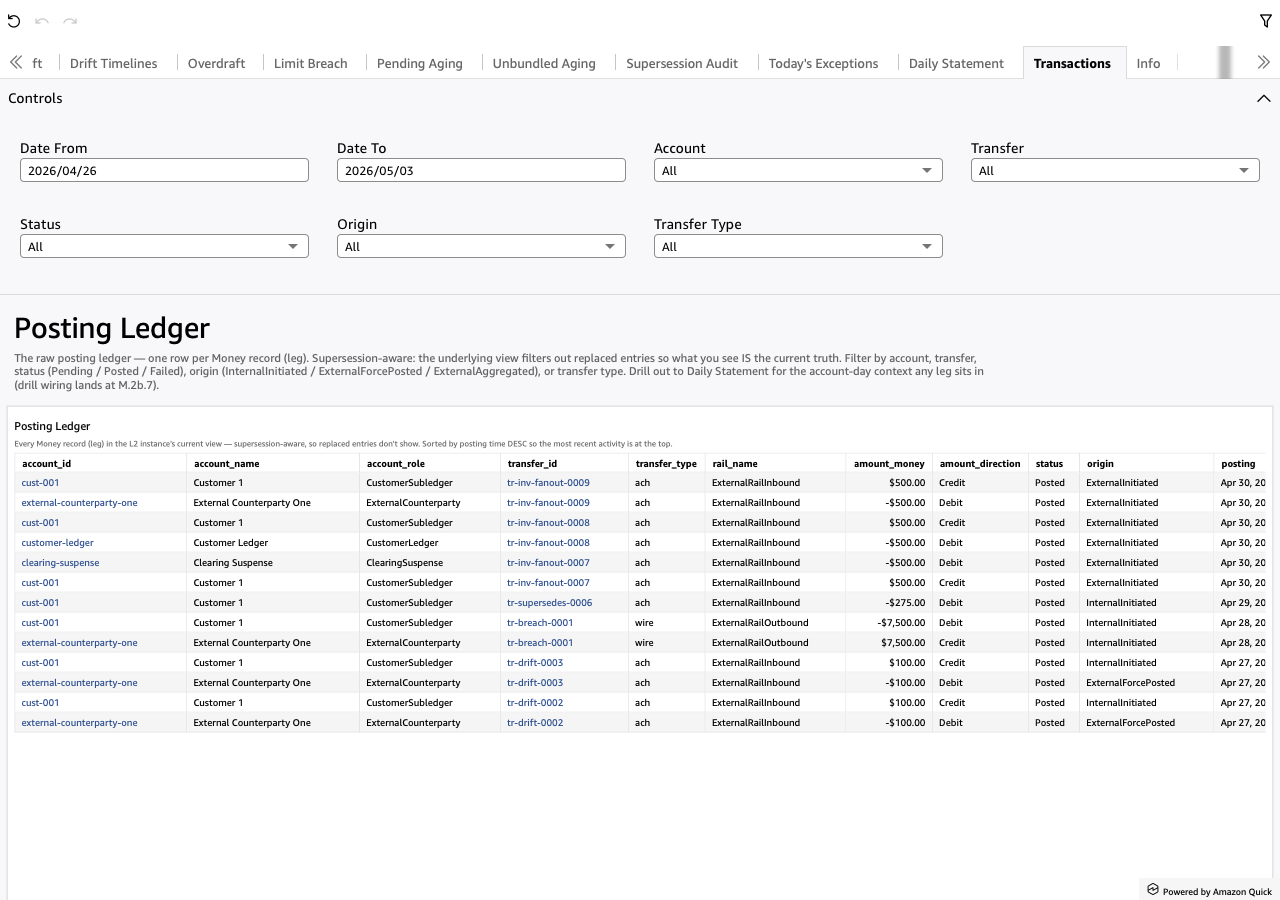
The raw posting ledger — one row per Money record (leg).
Supersession-aware via the spec_example_current_transactions matview:
the matview projects only the highest-entry version per logical key,
so what the analyst sees IS the current truth (no superseded
entries pollute the view).
Sorted by posting DESC so the most recent activity sits at the
top. The sheet's value is "show me every leg + filter to the slice
I care about" — no KPIs above the table, just dropdowns.
Screenshot
When to use it
Drill-down endpoint. Either drilled to from Daily Statement
(narrowed by transfer_id so the analyst sees every leg of one
transfer) or browsed manually with the dropdown filters.
Visuals
- Posting Ledger (Table) — every leg from the
spec_example_current_transactionsmatview. Columns:account_id,account_name,account_role— who got postedtransfer_id,transfer_type,rail_name— what kind of transferamount_money,amount_direction— the signed amount + Debit / Credit labelstatus— Pending / Posted / Failedorigin— InternalInitiated / ExternalForcePosted / ExternalAggregatedposting,transfer_completion— timestamps
Drops internal storage columns (entry, account_scope,
account_parent_role, template_name, bundle_id, supersedes,
metadata, transfer_parent_id) — those stay in the matview but
aren't surfaced here.
Drills
None outbound. Transactions is the leaf — the raw event log, the deepest layer the dashboard exposes.
When drilled to from Daily Statement, the pL1TxTransfer parameter
narrows the table to one transfer_id; clearing the parameter (re-
opening the sheet from the tab bar) restores the full ledger.
Filters
- Account — multi-select dropdown over
account_id. - Transfer — multi-select dropdown over
transfer_id. Useful when chasing a multi-leg transfer's full set. - Status — Pending / Posted / Failed.
- Origin — InternalInitiated / ExternalForcePosted / ExternalAggregated.
- Transfer Type — narrow by
transfer_type(ach / wire / fee / internal / etc).
No date-range pickers — the supersession-aware ledger is small enough by L1 invariants that range filtering offers little. If you want to scope by date, use Daily Statement (single-day) or filter manually via the table sort + scroll.