Limit Breach
Per-sheet walkthrough — L1 Reconciliation Dashboard.
What the sheet shows
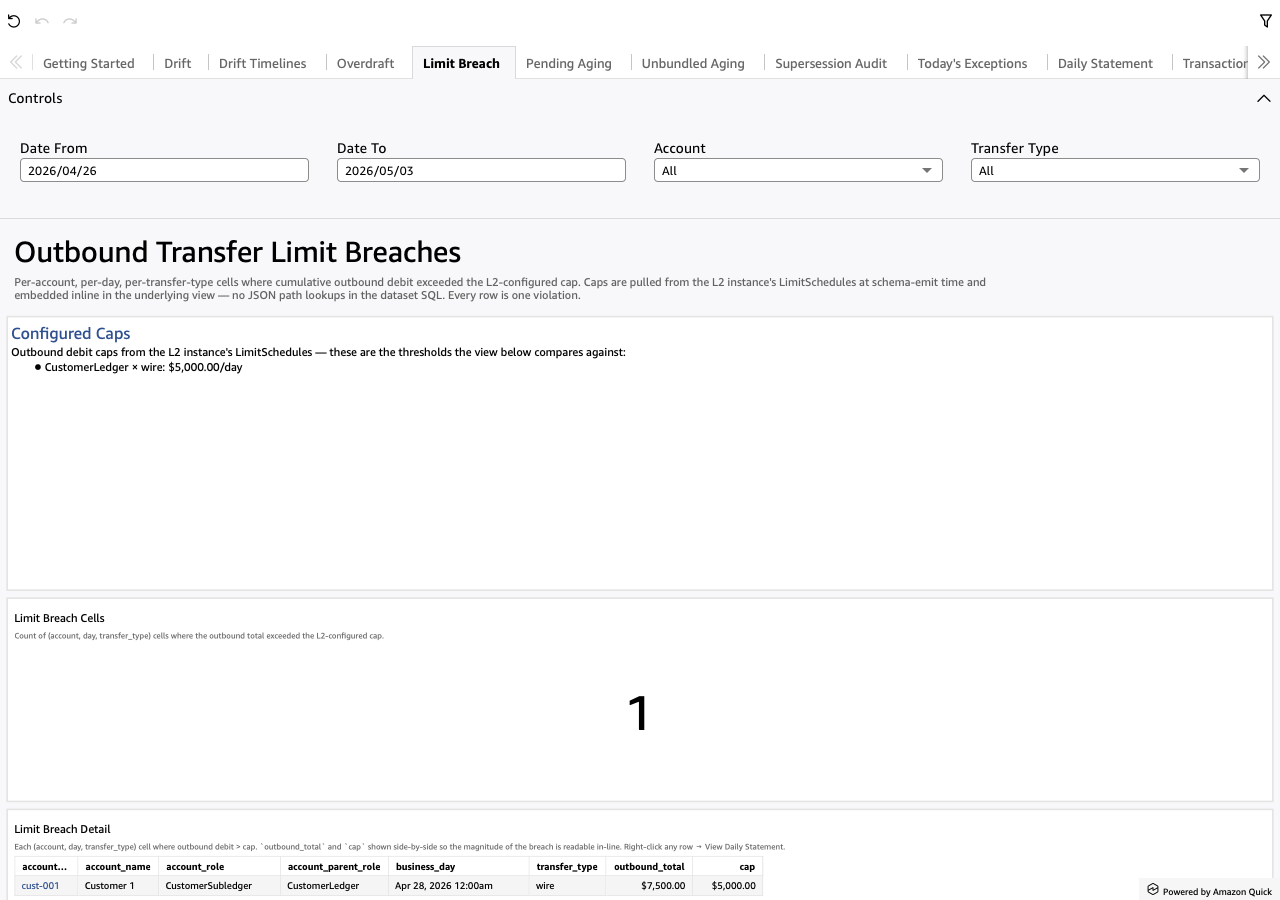
Per-(account, day, transfer_type) cells where the cumulative outbound
debit exceeded the L2-configured cap. Caps come from the L2
instance's LimitSchedules and are inlined into the underlying view at
schema-emit time as CASE branches keyed on (parent_role,
transfer_type).
Each row is one violation. The outbound_total and cap columns sit
side-by-side so the magnitude of the breach is readable in-line.
Screenshot
When to use it
Daily. Common driver: a single large outbound (e.g. an unusual wire) that pushed an account past its cap. Less common but more concerning: a slow accumulation of small outbounds that drifted across the threshold.
Visuals
- Configured Caps (TextBox) — bullet list of every L2
LimitSchedule rendered as
parent_role × transfer_type: $cap/daywith the L2-supplied prose. Shows the analyst what's configured before what got breached. - Limit Breach Cells (KPI) — count of (account, day, transfer_type) violations.
- Limit Breach Detail (Table) — one row per breach. Carries
account_id,account_name,account_role,account_parent_role,business_day,transfer_type,outbound_total,cap.
Drills
- Right-click any row → "View Daily Statement for this account-day" — opens Daily Statement to see every leg that contributed to the breach.
Filters
- Date From / Date To — universal date-range pickers.
- Account — multi-select dropdown over
account_id. - Transfer Type — multi-select dropdown over
transfer_type.