Pending Aging
Per-sheet walkthrough — L1 Reconciliation Dashboard.
What the sheet shows
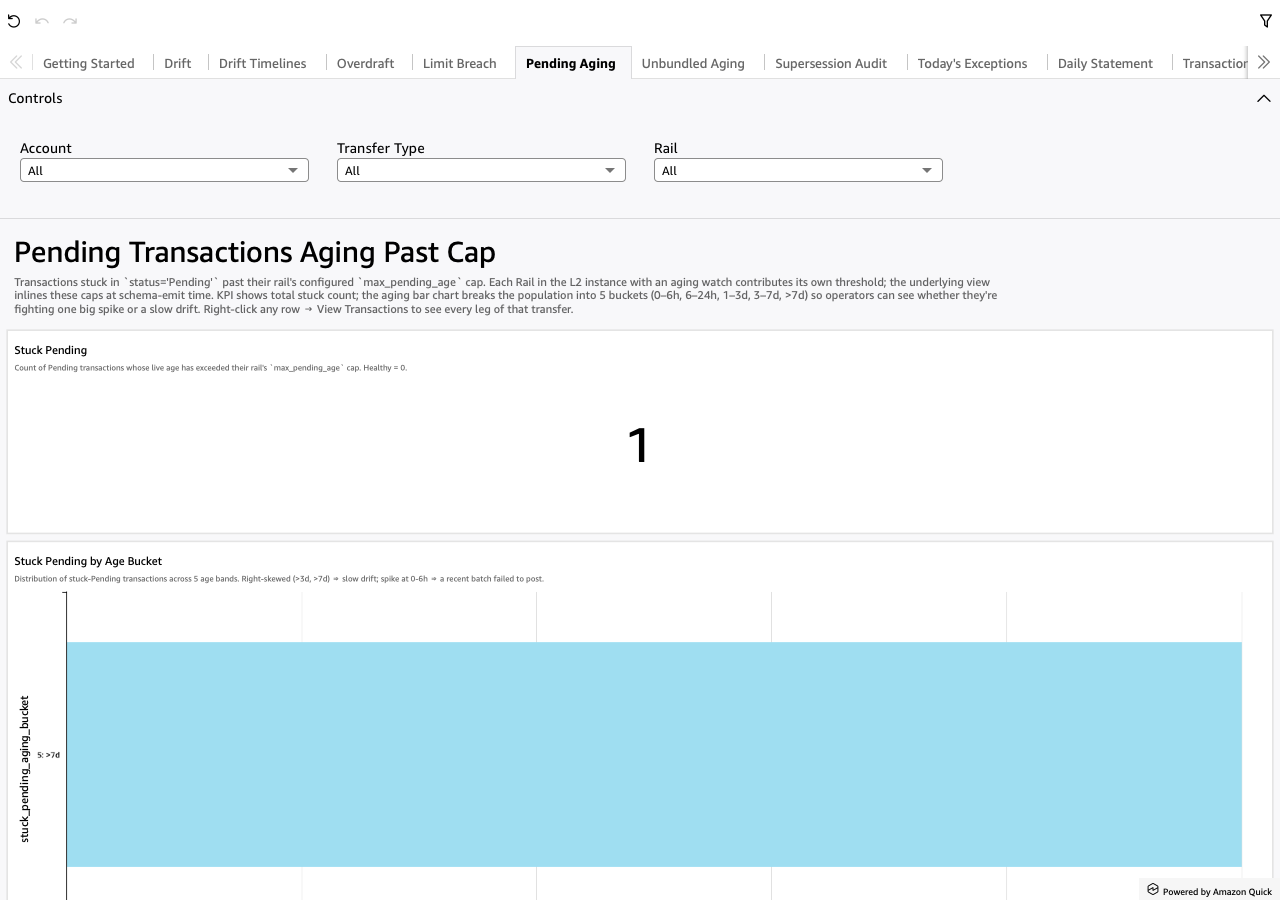
Transactions stuck in status='Pending' past their rail's
max_pending_age cap. The cap is per-rail in the L2 instance; the
underlying view inlines it at schema-emit time as a CASE branch
keyed on rail_name. Rails without an aging watch (no
max_pending_age set) are excluded by construction — they emit a
NULL cap which the outer WHERE filters out.
Screenshot
When to use it
When the operations team asks "what's stuck waiting to settle?" Or during the morning routine to surface things that didn't transition overnight that should have.
Visuals
- Stuck Pending (KPI) — count of transactions whose live age has
exceeded their rail's
max_pending_agecap. - Stuck Pending by Age Bucket (BarChart, horizontal) —
distribution across 5 number-prefixed buckets:
0-6h,6-24h,1-3d,3-7d,>7d. Bucket from a per-dataset CalcField onage_seconds. Right-skew (>3d, >7d) ⇒ slow drift; spike at 0-6h ⇒ a recent batch failed to post. - Stuck Pending Detail (Table) — every stuck-Pending leg with
rail / amount / posting / live age.
max_pending_age_secondsis the rail's cap (inlined from L2).
Drills
- Right-click any row → "View Transactions for this transfer" —
opens Transactions narrowed to the clicked
transfer_idso the analyst can see every leg of the multi-leg transfer.
Filters
- Date From / Date To — universal date-range pickers (scoped on
posting, the original transaction posting timestamp). - Account — multi-select dropdown over
account_id. - Transfer Type — multi-select dropdown over
transfer_type. - Rail — multi-select dropdown over
rail_name.