A walkthrough of the phone interface, captured straight from the e2e test harness — same screens any kid sees, same heraldic gold-bezel UI, no mockups.
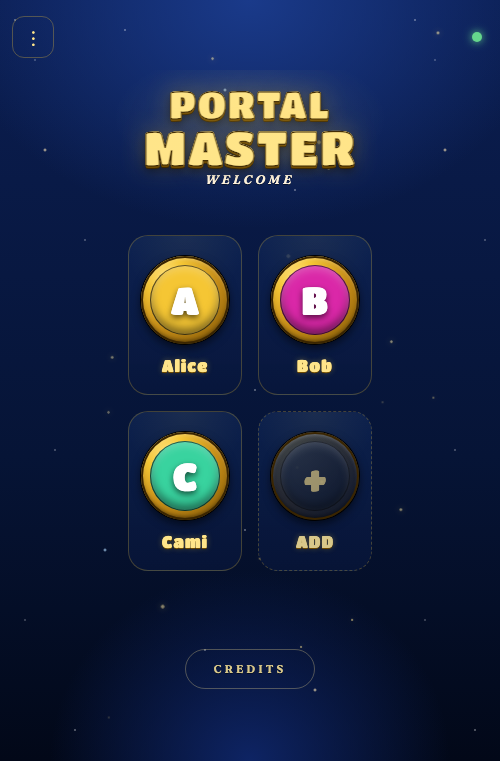
01Welcome, portal master.
First screen after a phone scans the QR code on the TV. Each kid gets their own profile bezel, gated by a 4-digit PIN so a sibling can't nuke their save.
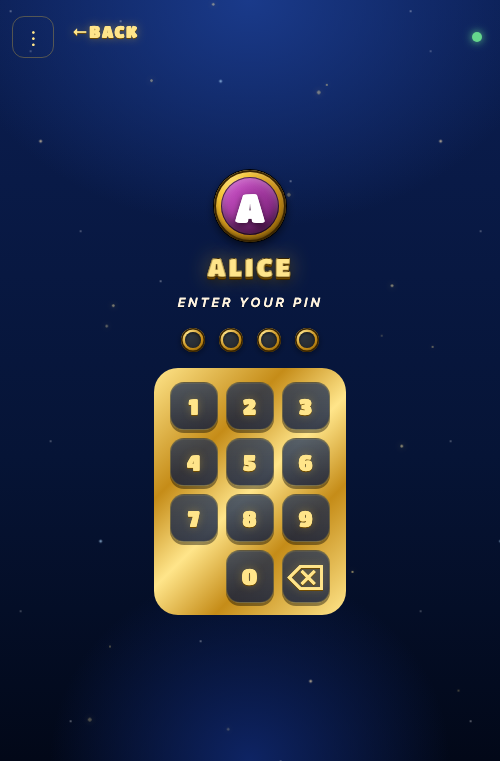
02Three strikes, you're out.
Tap the profile, punch in the PIN. Three wrong tries gates the profile for 5 seconds — anti-sibling, not anti-adversary.
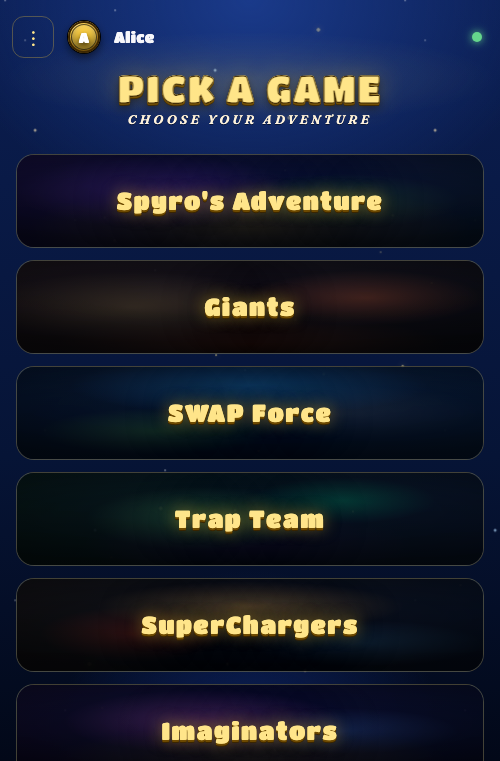
03Pick a game, any game.
The six PS3-era Skylanders titles, surfaced from whatever's installed in your local RPCS3 library. Tap one and the launcher boots it on the TV behind you.
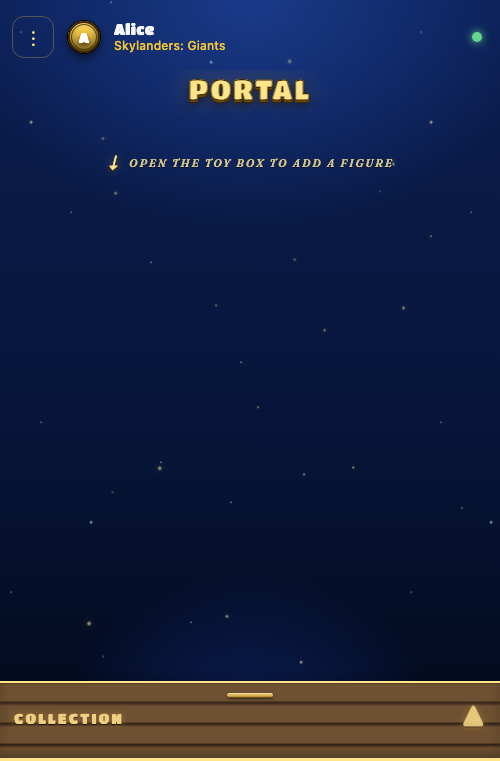
04An honest empty state.
Empty portal slots used to be visible bezels — kids tapped them and nothing happened. The v1.1.0 fix hides them entirely; the toy-box hint is the only thing to tap when there's no figure on the portal.
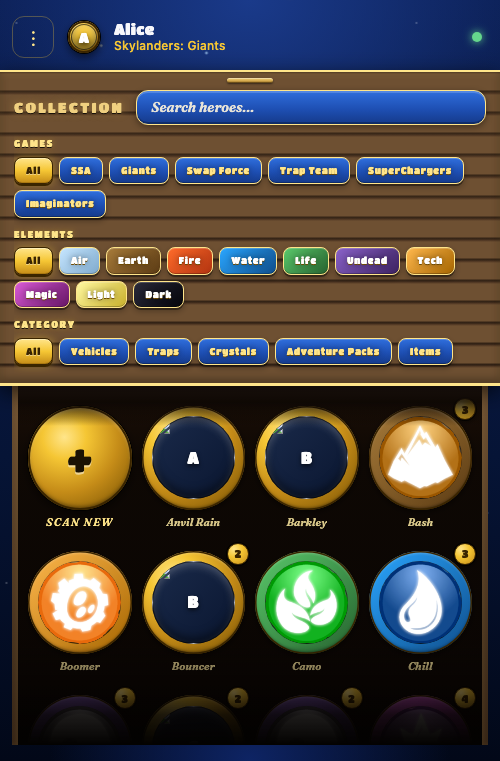
05Open the toy box.
The whole owned collection, filterable by element, game-of-origin, or category, with a free-text search inline in the lid header. Each card's bezel ring is tinted with the figure's element so air vs fire vs water reads at a glance; the ELEMENTS chip row mirrors those colours so the filter you tap matches the rings you're scanning for. Trap Team traps and SuperChargers vehicles get a corner badge (TRAP, LAND/SKY/SEA) since their thumbnail is a captured villain or a vehicle silhouette — "what is this?" otherwise depends on knowing the line. Reposes collapse behind a "N variants" badge so a stack of Spyros doesn't drown out everyone else.
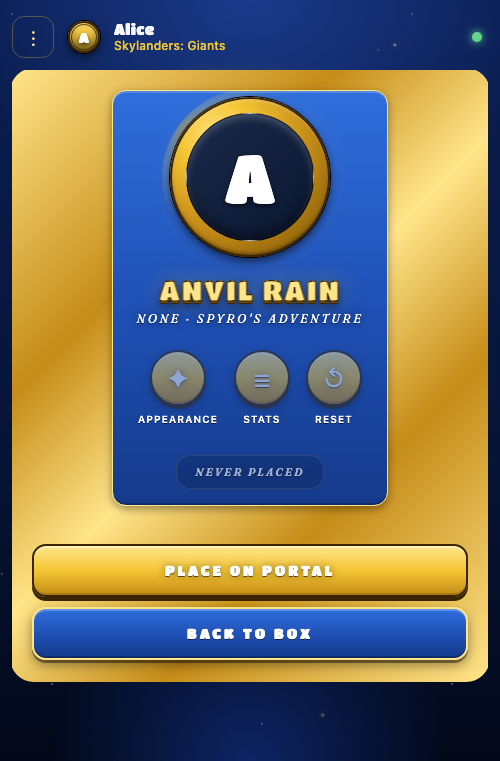
06Pick your champion.
Tap a card and you see the figure detail — name, variant cycle, level / gold / playtime stats parsed straight off the firmware dump. PLACE ON PORTAL drives the RPCS3 dialog automation behind the scenes.
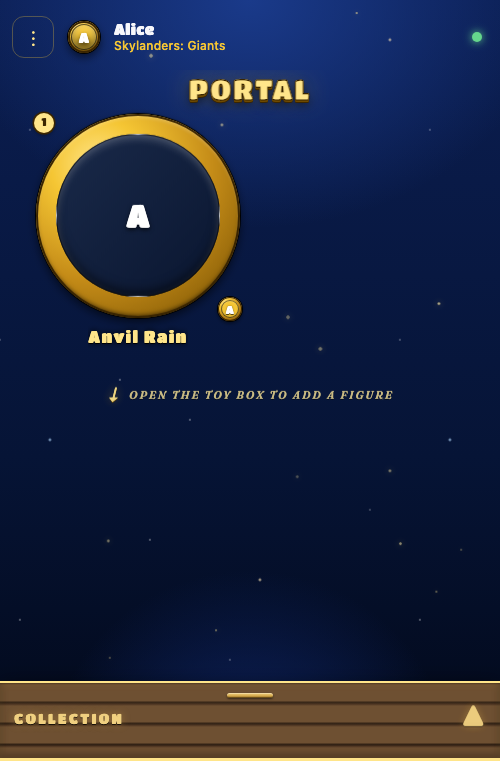
07On the portal.
The slot shows up in its bezel; the gold ownership chip identifies whose figure it is. Tap the slot to remove. Co-op players can each see whose figure is whose at a glance.
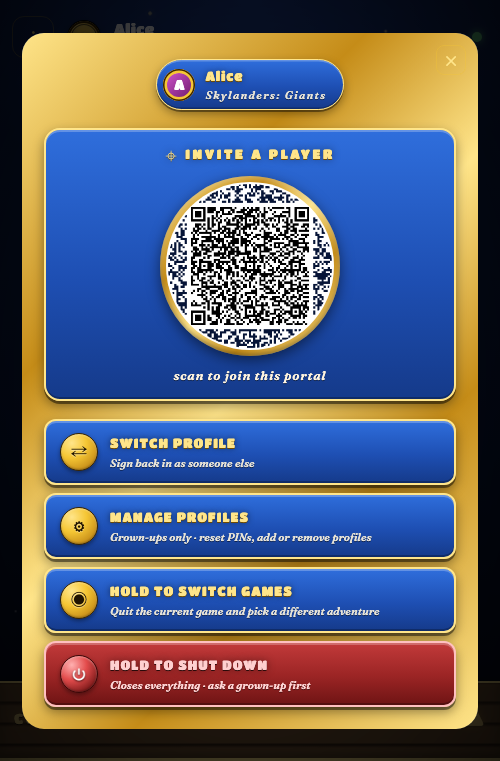
08Hand the phone off.
The kebab menu carries the join QR (so an existing player can invite a new joiner) and the per-profile actions: switch profile, manage profiles, hold-to-switch-games, hold-to-shut-down. The Kaos opt-in toggle lives on the per-profile EDIT screen behind the manage-profiles Konami gate now — it's a profile-scoped preference, not a session-level toggle.
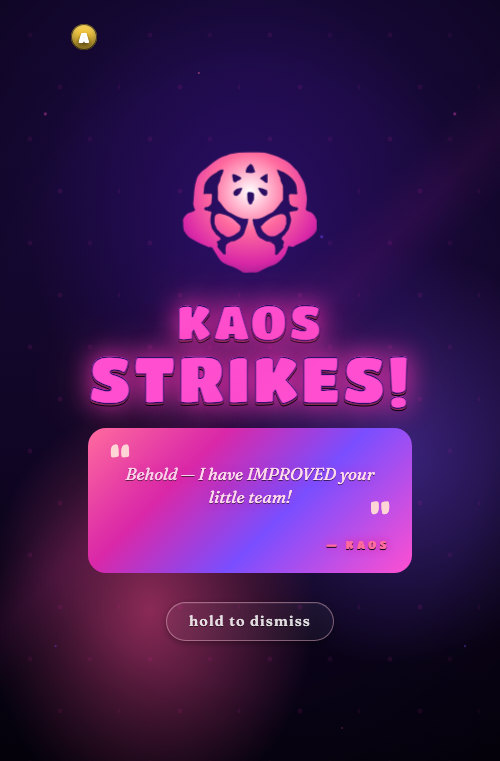
09KAOS strikes!
With Kaos opt-in turned on, the timer fires somewhere in every hour after the 20-minute warmup. A random placed figure swaps for a compatible random pick from the collection. The taunt overlay sticks until the user holds the "hold to dismiss" pill — kids couldn't read Kaos's insults before the auto-dismiss expired. Vehicles only swap in for SuperChargers; figures only swap into games at or after their game-of-origin.
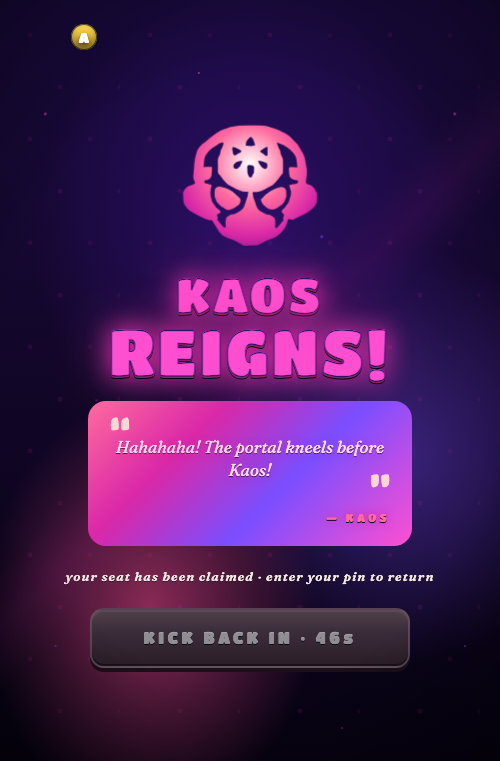
10Kaos reigns.
A third connection evicted this session via the FIFO seat policy. Kickback button greys out and counts down the 60-second forced-evict cooldown, so the player isn't tapping into a wall.
Captured by cargo test -p skylander-e2e-tests --test screenshot_tour -- --ignored --nocapture. The harness drives a real Chrome via WebDriver against a real server with the mock RPCS3 driver, so every screen is exactly what a kid sees on the iPad — no mockups, no Photoshop, no marketing pixels.